A single Portal Cloud 9 Pro license supports 1 Website for 365 days and is billed on yealy subscription.
Download the latest version of the Portal Cloud 9 Pro plugin from the top section of our homepage.
After your purchase is complete, you’ll receive an email containing the username and password you created during checkout. These credentials are used to activate your license.
Getting started takes just a few minutes.
Install the Plugin
Install and activate the Portal Cloud 9 Pro plugin on your WordPress website.
If the free Portal Cloud 9 plugin isn’t already installed, the Pro version will automatically prompt you to install it from the official WordPress Plugin Directory.
Activate Your License
Go to:
WordPress Admin → Portal Cloud 9 → Settings → Authentication
Enter your Portal Cloud 9 Pro account credentials, then click Activate.
Your Portal Is Ready
Once activated, Portal Cloud 9 Pro automatically creates your customer portal page.
Your portal can be accessed at:
https://yourwebsite.com/user-portal
No manual page creation or configuration is required.
Automatic User Redirection
Whenever a customer or manager signs in, they’ll be automatically redirected to the new portal dashboard instead of the default WordPress login experience.
No additional setup is needed.
Enhance Your Portal with Shortcodes
Portal Cloud 9 Pro comes with a library of ready-to-use shortcodes, making it easy to extend your portal.
To access them:
WordPress Admin → Portal Cloud 9 → Shortcodes
Simply copy any shortcode and paste it into your pages, posts, Elementor templates, or WooCommerce product descriptions to add additional functionality wherever you need it.
What’s Included
Secure Login Experience
Protect your website by replacing the standard WordPress login page with a secure customer portal.
Instead of using:
yourwebsite.com/wp-login.php
users authenticate through:
yourwebsite.com/user-portal
The portal supports modern authentication methods, including:
- Two-Factor Authentication (2FA)
- Face ID on supported devices
- Fingerprint authentication
- Other supported biometric login methods
This provides an additional layer of protection against brute-force login attempts while delivering a smoother login experience.
A Dedicated Dashboard for Managers & Customers
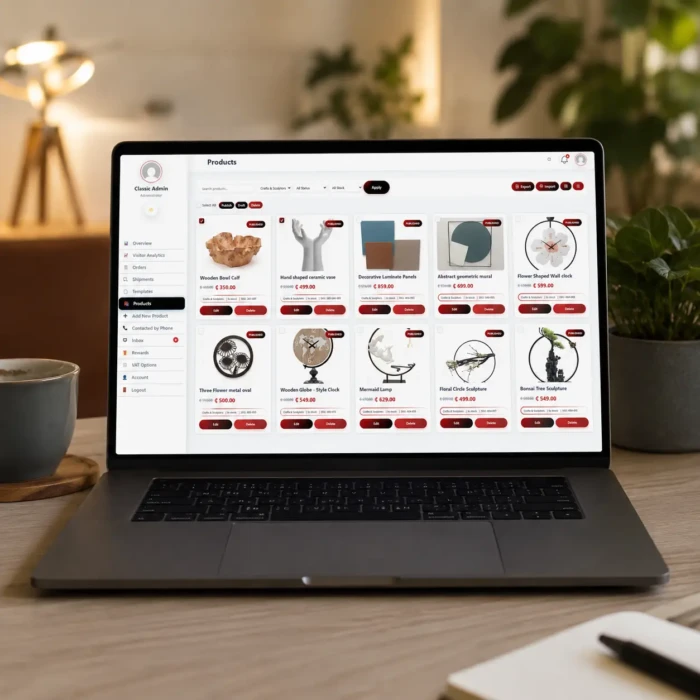
Portal Cloud 9 Pro replaces the WordPress dashboard with a clean, intuitive portal designed specifically for your users.
From a single dashboard, managers and customers can:
- Create new products and update existing ones
- View, process, and manage orders
- Earn and redeem customer reward points
- Configure VAT settings for any country
- Access an integrated Chat & Inbox
- Save products to a personal Favourites list
- View and manage shopping carts
- Access all their account information from one convenient location
The dashboard is fully responsive, ensuring a seamless experience across desktop, tablet, and mobile devices.
Designed to Grow with Your Business
Portal Cloud 9 Pro helps you create a more secure, professional, and efficient customer experience by:
- Replacing the default WordPress login page with a modern portal
- Keeping customers and managers out of the WordPress admin area
- Simplifying product and order management
- Increasing customer engagement with reward points
- Allowing you to customize your portal using powerful built-in shortcodes
- Providing a polished interface that scales with your business as it grows